 LaserCanvas
Machine compatibility
Compatibility depends on the controller firmware and connection. We list a model after our testing or documented confirmation from an independent user or reviewer who used LaserCanvas on a physical unit of that model. Manufacturer confirmation alone does not qualify.
You should not have to tell it how big your bed is
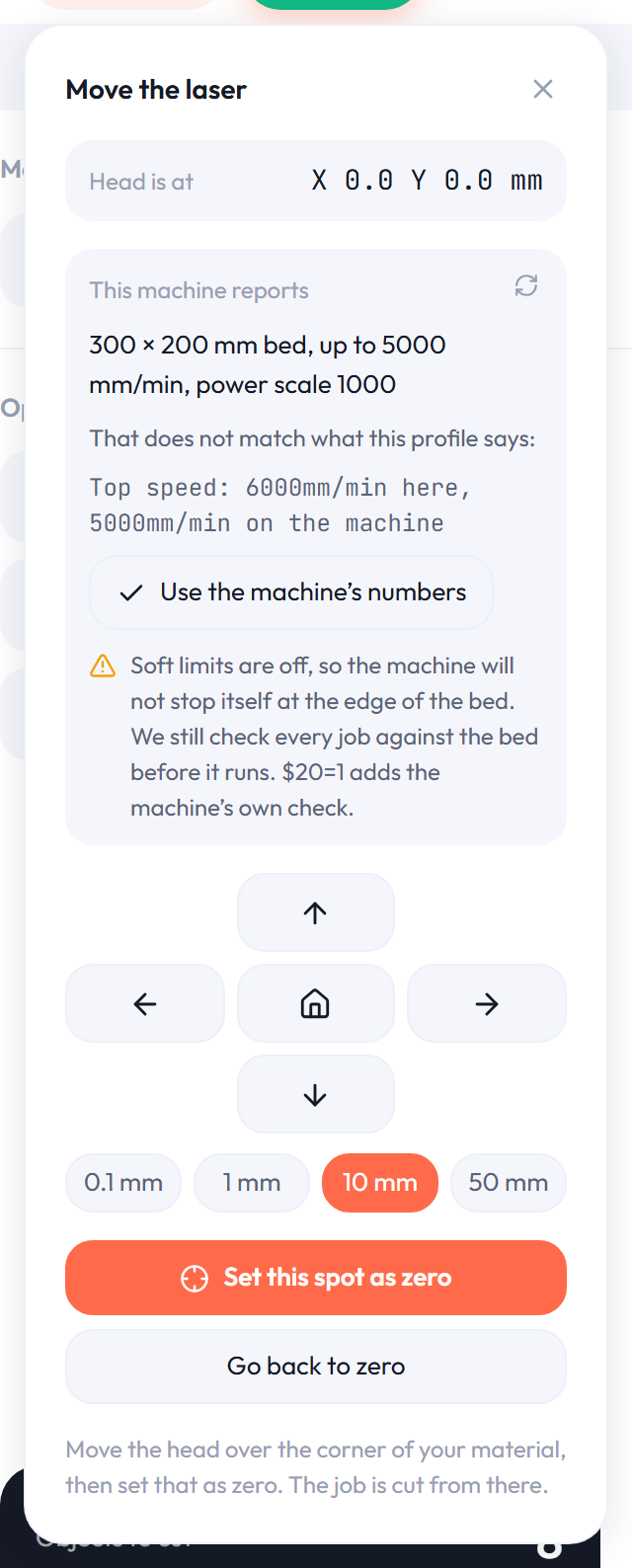
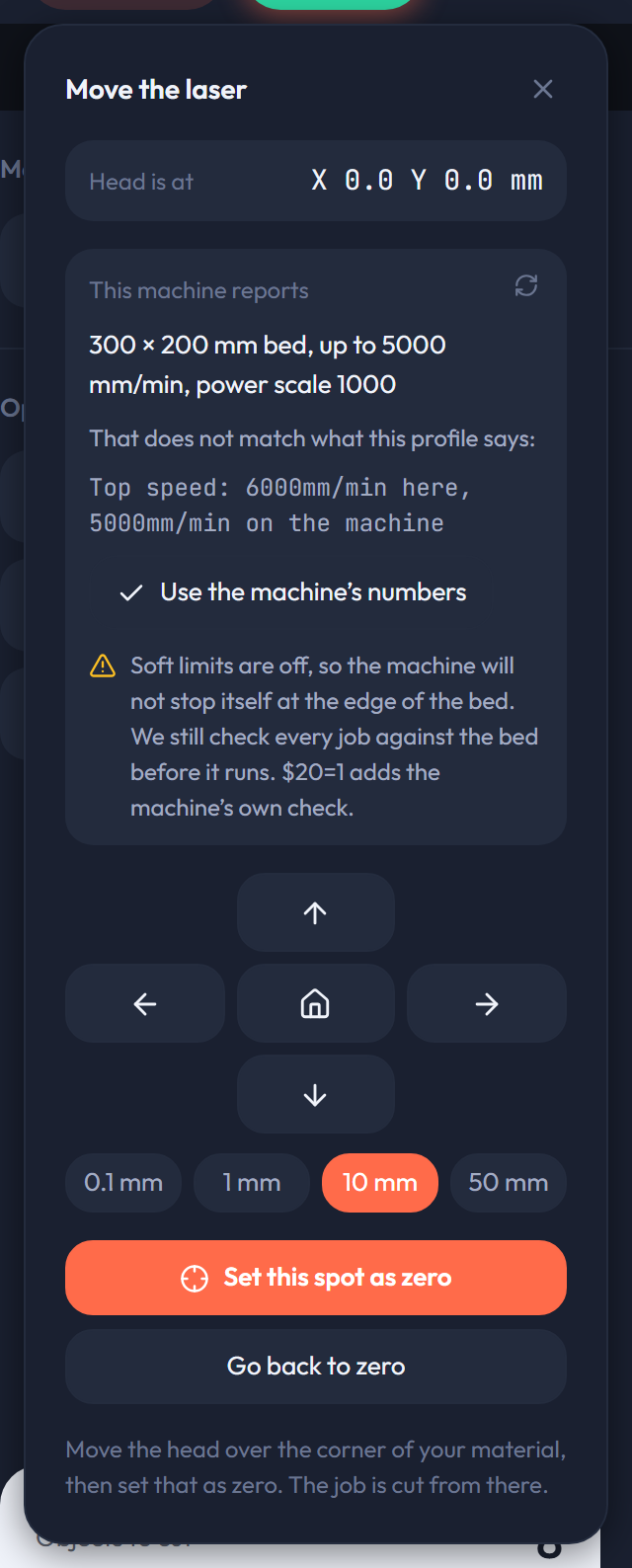
Your controller already knows. When LaserCanvas connects it asks, and reads back the work area, the top speed of each axis and the power scale the machine expects. The bed on screen becomes the bed you own, and the check that stops a job running off the edge is measuring against the real thing.
Where the machine and the saved profile disagree, it says so and offers you the machine’s numbers rather than quietly overwriting yours.
Reading the controller helps check your setup. Confirming that a particular model works requires actual LaserCanvas use on a physical unit, confirmed by us or an independent user or reviewer before we publish a listing.
Controller firmware
These are the protocols implemented in LaserCanvas. Firmware support alone does not verify a machine model; the controller version and available connection also matter.
GRBL
The firmware nearly every diode laser runs.
GRBL 0.9 and 1.1, over USB serial or over the network. This is the common case: if you bought a diode laser in the last few years, this is almost certainly what is inside it.
- Bed size from $130 and $131
- Top speed from $110 and $111
- Power scale from $30
- Laser mode, homing and soft limits from $32, $22 and $20
FluidNC
The ESP32 successor to GRBL, with Wi-Fi built in.
Common on newer boards and on upgraded builds. Connects over USB or straight over Wi-Fi with no cable to the machine at all.
- The same settings GRBL reports, plus its own network configuration
Marlin
For laser modules bolted to a 3D printer or a CNC.
Marlin with laser or spindle support, using inline power. Common on converted printers and on kits built from printer electronics.
- Bed size and limits from M503, where the board reports them
Smoothieware
Smoothieboard and the boards that copy it.
Including several CO2 conversions that replaced a DSP board with a Smoothie-compatible one.
- Configuration over the same serial connection
Models with confirmed compatibility
Each listing identifies testing by LaserCanvas or an independent user or reviewer. We record the exact model, firmware, connection, functions confirmed and any limitations. Confirmation applies to that tested configuration, not the rest of a manufacturer’s range.
Manufacturer specifications and confirmations alone do not qualify. Reports disclose any complimentary test unit or loan.
No models have been published as confirmed yet. Listings follow our testing or documented independent confirmation.
The app also offers setup profiles from manufacturer specifications and community reports. These are starting points for configuration and are not compatibility endorsements.
How it connects
- USB
- Straight from the browser over Web Serial. No driver, no install, no bridge program running in the background. Chrome or Edge on a desktop.
- Wi-Fi and Ethernet
- For FluidNC and for anything reachable over a network socket. Works in any browser, including on a machine sitting in another room.
- A file
- Export g-code and take it over on a card, the way you always have. Nothing here requires the machine to be connected to design for it.
What does not work yet
Said here rather than left for you to find out after signing up.
- Ruida and other DSP controllers
- The big CO2 cabinets use a binary protocol of their own rather than g-code over a serial port. Supporting them means writing a second transport, not adding a setting.
- Galvo fibre markers
- EZCAD-class galvo hardware is driven through a vendor control card, not a motion controller we can talk to.
- Closed systems
- Machines that only accept jobs through their own cloud will not take a connection from anything else.
Not sure what yours runs?
Open the app, plug the machine in, and it will tell you — firmware, version, bed size and all. Nothing moves until you ask it to.
Build laser machines? Arrange a test unit.